


Suno AI Music App — A Friendly Guide for Music Lovers
- Sitaram Maaker

- 10 hours ago
- 5 min read
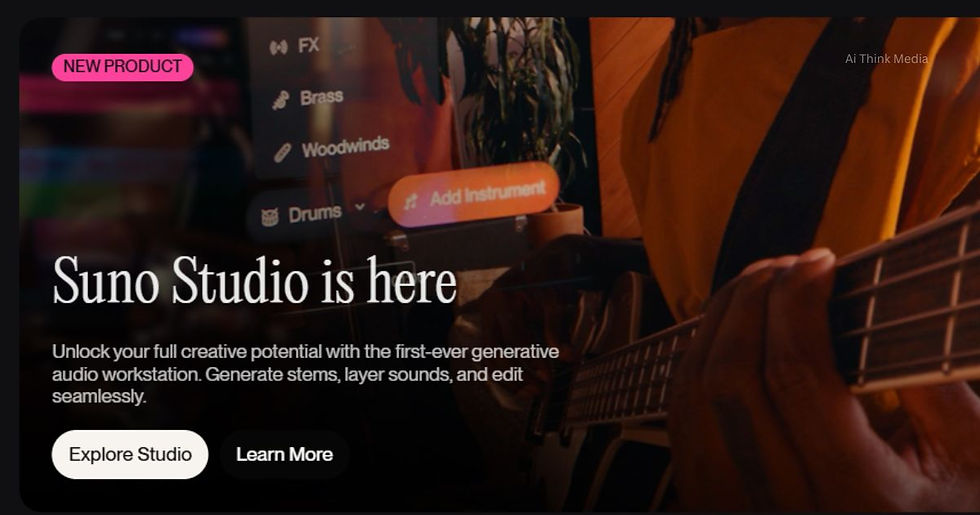
If you love music, Suno AI is the kind of app that makes you excited about what’s possible today. In simple words, Suno uses artificial intelligence to turn ideas — words, short, hummed melodies, or a few instructions — into full songs. You don’t need to be a musician or own instruments. You can create backing tracks, short songs, or vocal pieces in seconds.
Below I’ll explain what Suno can do, how to use it, what it’s best for, and a few practical tips for music lovers and creators in India. I’ll keep language simple and useful so you can read fast and try things on your phone or web browser. Create Your Music
What is Suno, in plain words?
Suno is an AI music generator and music-making app. You give it text prompts (for example: “a relaxed acoustic ballad about the monsoon”), or you can upload a short melody, and Suno produces a complete musical piece — arrangement, instruments, beats, and often a vocal line too. It runs on the web and has mobile apps, so you can create songs on your laptop or phone. Create Your Music
It’s designed to be easy: the goal is to let anyone — from hobbyists to YouTubers and indie creators — make music quickly without needing studios or long learning curves.
Why music lovers should try Suno
Instant creativity. If a melody or lyric pops into your head at night, Suno can give you a full version in minutes. That’s great for capturing ideas fast.
Explore new styles. Want to hear jazz with an Indian classical instrument? Or a pop hook with folk rhythm? Suno can blend styles so you can experiment.
Low barrier to entry. You don’t need music theory or software skills. That’s perfect for casual creators, podcasters, or people who want background music for videos.
Useful for storytellers. If you make audiobooks, podcasts, or YouTube videos, Suno can create mood music, intros/outros, or underscore scenes — fast and affordably. The app offers options for commercial use depending on plan. Create Your Music
Main features you’ll like
Text-to-music: Type a simple description and Suno returns a full song or instrumental. This is the app’s most magical feature.
Melody upload / humming to song: You can hum a tune or upload a short melody and Suno will expand it into a full arrangement. Great for turning a sketch into something listenable.
Lyrics & vocals: Suno can generate lyrics and produce vocals that sing those lyrics. The quality varies by style, but for many uses it’s surprisingly usable.
Multiple models / lengths: Suno offers different generation models and options for song length and complexity, so you can choose quick sketches or longer pieces.
Mobile and web: Use Suno on your phone (Android/iOS) or on the web. The app is handy if you want to create while traveling or recording ideas on the go. Create Your Music
How to get started — quick steps
Install or open Suno: Use the mobile app or visit the Suno website. Create an account.
Write a prompt: Keep it simple: mood, genre, tempo, and any instruments. Example: “Warm acoustic song, 90 BPM, tabla rhythm, lyrics about rainy evenings.”
Choose options: If available, pick the model or song length, and whether you want vocals or instrumental.
Generate and listen: The AI will create a song. You can usually re-roll, tweak the prompt, or upload a short melody to get variations.
Download and use: Save the audio. If you plan to use it commercially (for sale, monetized videos), check the subscription and licensing details. Suno has subscription plans that include credits and commercial-use rights on certain tiers. Create Your Music
What Suno is great for (real use cases)
Background music for videos and reels. Make mood music tailored to your video length and drop it under narration.
Quick demos and song sketches. Use Suno to test melodies or chord changes before committing to a full production.
Audiobook atmospheres. Create short theme tracks or chapter transitions that match the mood of your narration. This helps Indian audiobook creators add a professional touch.
Idea generation for composers. Even established musicians use AI to break creative blocks or hear unusual arrangements. Create Your Music
Things to watch out for
Vocal and lyric quality is hit-or-miss. AI vocals are improving, but they may sound synthetic in some styles. Use them as a base, then edit or re-record vocals if you want a human feel.
Commercial terms matter. If you plan to sell music or monetize videos, choose the right subscription or read Suno’s licensing terms carefully. Some plans explicitly grant commercial use rights.
Not a full replacement for musicians. AI can create very useful tracks, but human musicians still add expression and nuance that AI may miss. Treat Suno as a powerful tool in your toolkit, not a final replacement.
Quality varies by prompt. Clear, specific prompts (mood, instruments, tempo, reference artists) give much better results than vague ones. Create Your Music
Tips to get better results
Be specific in prompts. Mention mood, tempo, instruments, and a short line of lyrical theme.
Use references. Tell Suno to sound like a certain era or a well-known style (without asking for exact copies).
Layer human touches. Use AI for the base track and add live instruments or a recorded vocal later.
Iterate fast. Generate several versions and pick elements you like from each; then combine them in a simple audio editor. Create Your Music
Is Suno appropriate for creators in India?
Yes — Suno is useful for Indian creators. You can generate Indian-style backing tracks, fusion pieces, and mood music for podcasts, audiobooks, and videos. For creators like audiobook narrators or YouTubers who need copyright-safe background music quickly, Suno’s subscription options that include commercial rights make it a practical choice — just check the exact terms before large commercial projects. Suno’s mobile-friendly workflow is also helpful for creators working from phone-first setups common in India. Create Your Music
Final thought — who should try Suno?
If you love music and want to experiment, Suno is a fun, powerful, and fast way to make ideas into songs. It is especially handy for content creators, storytellers, and hobby musicians who need original tracks quickly. Treat it as a creative partner: it gives instant sketches, surprising blends, and starting points that you can polish and personalize.
If you’re curious, try the free tier, test a few prompts, and see how it fits into your workflow. For audiobook creators or YouTubers in India, Suno can save time and add professional-sounding music to your projects — as long as you follow the subscription and licensing rules when using tracks commercially. Create Your Music


Comments